Where your WordPress server physically sits has a direct, measurable effect on how fast your website feels to a visitor in New Zealand. This guide explains why local infrastructure matters for Kiwi audiences, and walks through the technical building blocks that make a site quick and resilient: NVMe storage, LiteSpeed or NGINX web servers, server-side caching, the Southern Cross cable network, and the Privacy Act 2020. It is written for business owners and developers who want to judge hosting on verifiable specifications rather than marketing claims.
Key Points
- Latency is the main win: hosting in NZ can cut round-trip time from 150–250 ms to roughly 10–30 ms for local visitors.
- Look for a modern stack: LiteSpeed or NGINX, NVMe storage, PHP 8.2+ and Redis/Memcached object caching.
- Compliance matters: keeping data in NZ keeps it under the Privacy Act 2020 and local jurisdiction.
- Security belongs at the server: free SSL, a WAF, rate limiting and malware scanning should come as standard.
- Greener by default: NZ’s grid was about 88.5% renewable in 2025 (MBIE).
The Critical Importance of Latency in the New Zealand Market
The physical distance between a server and its user is one of the most influential factors in perceived website speed. When someone in Auckland or Christchurch loads a site hosted in North America or Europe, each request travels thousands of kilometres across undersea cables, producing a round-trip time (the time for a signal to travel to the server and back, often called RTT) that can exceed 200 milliseconds. Hosting the same site inside New Zealand can bring that figure down to roughly 10–30 milliseconds. Lower latency tends to improve both user experience and conversion rates, and it makes Google’s Core Web Vitals — the real-world speed and stability measurements Google collects from Chrome users — easier to pass. A local server is not the only factor in those scores, but for a NZ-focused audience it removes a large, fixed delay that no amount of code tuning can recover.
| Performance metric | Local NZ hosting | Overseas hosting (USA/EU) | Why it matters |
|---|---|---|---|
| Average latency | ~10–30 ms | ~150–250 ms+ | Faster response, lower bounce rates |
| Time to First Byte | Typically well under 0.5 s | Often above 0.8 s | Supports better Core Web Vitals |
| Support hours | NZ business hours | Varies by time zone | Faster help with urgent issues |
| Data residency | On NZ soil, under NZ law | Subject to foreign jurisdictions | Simpler privacy compliance |
Understanding the Southern Cross Cable and Connectivity
New Zealand’s international connectivity relies heavily on the Southern Cross Cable Network, including the newer Southern Cross NEXT link. Quality local hosts also peer directly with major domestic providers such as Spark, One NZ and 2degrees at local internet exchange points, so traffic between a Kiwi visitor and a Kiwi-hosted site can stay within the country. That internal routing avoids congestion at international gateways and helps keep performance consistent during busy periods. If you want to gauge your own connection, a quick internet speed test is a useful starting point.
Why Managed WordPress Hosting Beats Generic Shared Plans
Managed WordPress hosting is a service where the server environment is specifically tuned to run WordPress and its plugins efficiently. Unlike generic shared hosting — which often runs many unrelated applications on one machine — managed environments typically add object caching, a modern web server such as NGINX or LiteSpeed, and database optimisations that users never see but benefit from. For a growing business this means less time spent fighting PHP execution limits or database overheads, and fewer of the “resource limit reached” errors common on budget plans. You can read a fuller breakdown in our guide to managed WordPress hosting in NZ.
- Automatic core updates: keeping WordPress on a current, patched version with little manual effort.
- Regular backups: ideally stored in a separate location for disaster recovery.
- Staging environments: a sandbox to test plugins or design changes before pushing them live.
- Web Application Firewall (WAF): rulesets aimed at WordPress-specific exploits and brute-force attempts.
- PHP version management: easy switching between supported releases such as PHP 8.2, 8.3 and 8.4.
Optimised Server Stacks for Kiwi Developers
A strong managed host offers more than disk space. In-memory data stores such as Redis or Memcached cache the results of common database queries, so the server does not repeat the same work for every visitor. That reduces CPU load and speeds up repeat page loads — particularly helpful for the high proportion of New Zealand visitors browsing on mobile data.
Data Sovereignty and the NZ Privacy Act 2020
For organisations in the legal, medical or financial sectors, where personal data physically lives can be a compliance matter as well as a performance one. The Privacy Act 2020 sets rules for how personal information is collected, stored and disclosed, including conditions on sending information overseas. Keeping data on servers in New Zealand keeps it under local jurisdiction and makes the chain of custody easier to describe to customers. Data held offshore can be subject to the laws of the host country — for example the US CLOUD Act — which may not align with local expectations. Our overview of local NZ hosting benefits explores the sovereignty angle in more detail.
| Legal consideration | Local NZ hosting | Offshore hosting |
|---|---|---|
| Privacy Act 2020 | Data stays under NZ jurisdiction | Cross-border transfer rules apply |
| Data residency | Known NZ location | Often spread across regions |
| Consumer Guarantees Act | Generally applies to local providers | May not apply |
| GST on hosting fees | Charged and documented locally | Handling varies |
The Role of Local Data Centres
New Zealand data centres are built for local conditions, including seismic resilience and power arrangements suited to the national grid. Hosting in a well-certified facility within the country adds a layer of resilience if international subsea cables undergo maintenance or disruption — a scenario where purely offshore hosting leaves a NZ audience exposed.
Scaling WooCommerce for the New Zealand E-commerce Market
WooCommerce powers many New Zealand online stores, but it is resource-intensive: as a catalogue grows from ten products to thousands, the load on the database rises sharply. Higher-performance hosting handles this with dedicated resources and faster CPUs that can process cart and checkout logic quickly. Cheaper plans sometimes throttle a site exactly when traffic spikes — during a flash sale or the Christmas rush — which can mean lost sales. Features worth looking for include:
- Server-side caching: serving cached pages for anonymous visitors while keeping cart and checkout dynamic.
- NVMe SSD storage: much higher read/write throughput than older SSDs, useful for large product databases.
- Local payment gateways: fast communication with NZ options such as Windcave and bank-transfer services.
- Scalable RAM: enough memory headroom for inventory syncs and plugin-heavy stores.
- DDoS protection: filtering malicious traffic that could otherwise take a store offline.
Improving Checkout Speed for Mobile Users
A large share of New Zealand online transactions happen on mobile devices. Shortening the distance data travels reduces the lag between “Add to cart” and “Pay now,” which is one of the levers for reducing cart abandonment. Combined with good front-end optimisation, a local server helps a checkout feel closer to an app than a slow web page.
Quick Facts
| Best suited to | NZ-focused business sites, WooCommerce stores, agencies |
| Target latency (local) | ~10–30 ms round-trip |
| Recommended PHP | 8.3 or higher (WordPress recommendation); 8.1 is end-of-life |
| Web server | LiteSpeed or NGINX with HTTP/3 (QUIC) |
| Storage | NVMe SSD for high IOPS |
| Caching | Server-side page cache plus Redis or Memcached object cache |
| Key law | Privacy Act 2020 (data residency and cross-border transfer) |
The Technical Architecture of a Fast WordPress Site
A fast host is a stack of hardware and software working together. The web server software matters: while Apache served the web for decades, many modern Kiwi hosts use LiteSpeed or NGINX, which handle large numbers of concurrent connections with lower memory use. Support for HTTP/3 (which runs over the QUIC transport protocol) speeds up connection setup and copes better with the packet loss common on mobile networks. Pairing this with a content delivery network node close to your audience produces near-instant loads. For more on squeezing out speed, see our notes on high-speed WordPress in NZ.
| Component | Basic hosting | High-performance hosting |
|---|---|---|
| Web server | Apache | LiteSpeed or NGINX |
| Storage | HDD or standard SSD | NVMe SSD |
| PHP execution | mod_php | PHP-FPM / LSAPI |
| Compression | Gzip | Brotli |
The Impact of NVMe Storage on Database Queries
NVMe (Non-Volatile Memory express) storage is designed for modern data centres and delivers far more IOPS (input/output operations per second) than traditional SSDs. Because WordPress relies on constant database reads and writes, this higher throughput means the server can keep up even when a site runs many plugins or a large product catalogue.
Security Protocols for New Zealand Business Sites
Phishing and automated attacks remain a real risk for New Zealand businesses. Good hosting adds protection at the server level, before threats reach your WordPress install. That can include geo-restricting administrative access, server-level rate limiting and proactive malware scanning. National guidance and incident reporting are available through CERT NZ and the National Cyber Security Centre (NCSC). Our WordPress security best practices guide goes deeper, but the essentials to expect from a host are:
- Server-level malware protection: tools such as Imunify360 that detect known WordPress exploits.
- Free SSL certificates: automated Let’s Encrypt integration so all traffic is encrypted over HTTPS.
- Two-factor authentication: for both the hosting control panel and the WordPress admin.
- Routine malware scans: regular checks of core files, themes and plugins.
- IP reputation filtering: blocking traffic from known malicious networks.
Defending Against Brute-Force Attacks on wp-login
Brute-force attacks use bots that try many password combinations per second against the WordPress login page. A capable host applies rate limiting at the server level, so repeated attempts are blocked before they reach WordPress at all. This protects both your account and the server resources that the attack would otherwise consume.
Local Support and the Value of a Kiwi Voice
Support quality is easy to overlook until something breaks at 9am on a Monday. Hosting with a NZ-based team means help during local business hours from people familiar with the local market — whether that is a .nz domain transfer, a local payment plugin, or how different ISPs handle DNS propagation. That local knowledge can save hours of troubleshooting during a launch or migration, compared with waiting on an overseas ticket queue in a different time zone.
The SEO Advantages of Local Hosting
Search engines consider many signals when ranking a page. Server speed is part of the page-experience picture Google measures through Core Web Vitals, and a faster site generally gives a NZ audience a better experience. Google itself has said hosting location is a weak, optional signal and that a well-configured CDN can serve content globally — so local hosting is not a magic ranking lever. Where it reliably helps is user experience: faster loads, lower bounce rates and smoother mobile browsing, which indirectly support your visibility. Practical gains include:
- Faster crawling: lower latency makes it easier for Googlebot to fetch pages.
- Better engagement: quicker loads tend to lift dwell time and reduce bounces.
- Visual stability: local image delivery can help Cumulative Layout Shift (CLS) scores.
- Mobile-first readiness: a fast stack makes meeting mobile expectations easier.
Sustainable Hosting and the New Zealand Grid
Sustainability increasingly factors into supplier choices. New Zealand’s electricity grid is heavily renewable: MBIE reports that 88.5% of electricity generated in 2025 came from renewable sources such as hydro, geothermal and wind — up from 85.5% in 2024 and the highest share since 1981. Hosting on that grid, with efficient cooling, can meaningfully lower the carbon footprint of a website compared with data centres running on more fossil-fuel-heavy grids. For businesses reporting on Environmental, Social and Governance (ESG) factors, hosting location can become part of a credible sustainability story.
Migrating to a New Zealand WordPress Host
Moving a website sounds daunting, but the benefits of local hosting usually outweigh the one-off effort. Many premium NZ hosts offer a managed migration service where their engineers transfer files, databases and email for you. If you prefer to do it yourself, reputable plugins such as Duplicator or All-in-One WP Migration make the process manageable. The key is to test the site on a temporary URL on the new server before pointing your DNS across. Our migration guide covers the full checklist, but the core steps are:
- Audit the current site: identify large files and unused plugins before moving.
- Back everything up: keep a full local copy before you start.
- Run a search-and-replace: update internal URLs for the new environment.
- Re-issue SSL: provision the certificate before going live.
- Test after cut-over: check contact forms, checkout and page speed.
Minimising Downtime with TTL Adjustments
A useful tip is to lower your DNS Time-to-Live (TTL) to around 300 seconds a day or two before the move. This means that once you switch to the new host, ISPs and browsers pick up the change quickly instead of caching the old records for a day or more.
Disclaimer
This article is general information about WordPress hosting and is not legal, security or compliance advice. Privacy, data-residency and security obligations vary by organisation and industry; confirm your own requirements with a qualified professional. For official guidance, consult the Office of the Privacy Commissioner and CERT NZ. Specifications, prices and availability mentioned here can change — verify details directly with a provider before purchasing.
Sources
Frequently Asked Questions (FAQ)
Will local hosting help my website rank better in New Zealand?
Indirectly. Google treats server location as only a weak, optional signal, but a locally hosted site usually loads faster for a NZ audience, which improves page-experience metrics and user engagement — factors that support, rather than guarantee, better rankings.
Can I use my existing .nz domain with a new host?
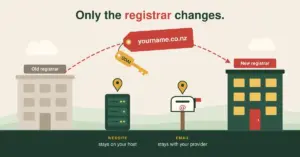
Yes. You can either point your domain’s DNS records at the new host or transfer the registration itself so billing and management sit in one place. Neither step requires changing your domain name.
Do I still need a CDN if my server is already in New Zealand?
Often, yes. A local server already serves NZ visitors well, but a content delivery network adds DDoS protection, edge caching and faster delivery to any international visitors you have.
What is the difference between NVMe and regular SSD hosting?
NVMe is a newer storage interface that delivers far more input/output operations per second than a standard SSD. For a database-driven platform like WordPress, that means queries are served faster, which matters most on busy or plugin-heavy sites.
How long does it take to migrate a WordPress site to an NZ server?
The file and database transfer itself is often done within a few hours. DNS propagation — the time for the wider internet to recognise the new location — can take up to 24 hours, which is why lowering your TTL beforehand helps.