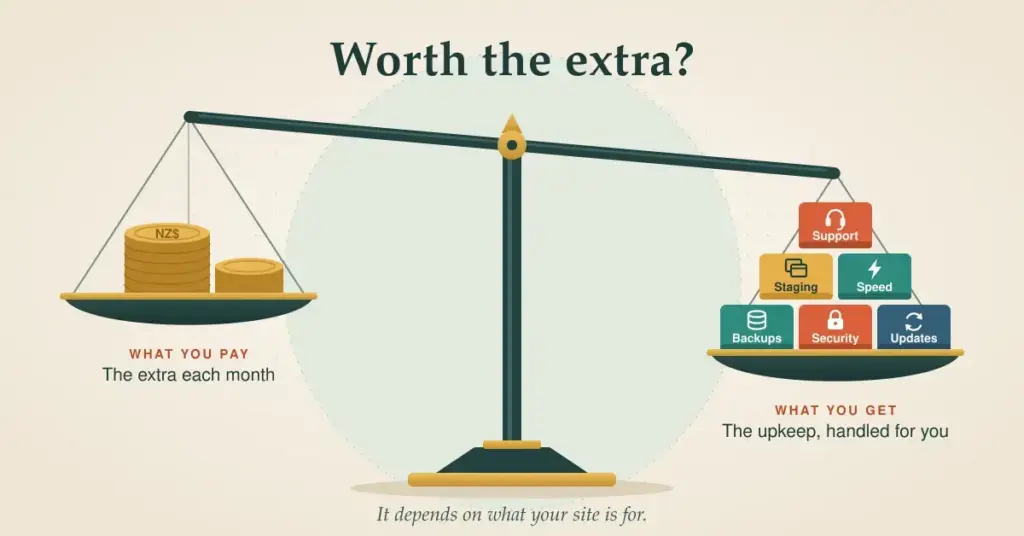
Managed WordPress hosting costs more than a basic shared plan, and the obvious question is whether the extra money is worth it. The honest answer is: it depends entirely on what your site is for.
This guide explains what managed WordPress hosting actually includes, what it does not, who genuinely benefits, and roughly what it costs in New Zealand in 2026 — so you can decide without the marketing gloss.
What managed WordPress hosting actually includes
“Managed” means the host handles the technical upkeep of your site for you, in an environment tuned specifically for WordPress. Instead of a bare server you configure yourself, you get a maintained one.
What “managed” typically handles for you
Updates
WordPress core, PHP, and plugins kept current.
Security
Monitoring, firewalls, and malware protection.
Backups
Automatic daily backups you can restore in a click.
Staging
A private copy to test changes safely.
Performance
Caching and storage tuned for WordPress.
Support
Help from people who know WordPress.
Here is what those pieces mean in practice.
The host keeps WordPress, PHP, and the database current, and monitors for threats. This matters more than it sounds: WordPress 7.0 arrived in May 2026 and runs best on PHP 8.3 or newer, MySQL 8.0+ or MariaDB 10.6+, and HTTPS. An out-of-date plugin is one of the most common ways a site gets compromised, so having someone stay on top of updates removes a real risk. Our security best practices guide covers what good security looks like.
Managed plans typically run automatic daily backups you can restore with a click, plus a staging area — a private copy of your site where you can test changes before they go live. That combination means you can experiment without fear of breaking the real thing.
Because the environment is built for WordPress, server-side caching and modern storage are configured for you. Faster pages help your visitors and, through Core Web Vitals, your search rankings too.
You get support from people who know WordPress specifically, rather than generic hosting staff. When something breaks mid-launch, that expertise saves hours.
What it doesn’t do
Managed hosting is not “someone runs my whole website”. You still choose and configure your theme and plugins, create your content, and make design decisions. The host looks after the platform underneath — not the site you build on top of it. It is worth being clear on that so the value is not oversold.
Who managed hosting is for
Managed WordPress hosting earns its price when your site matters to your income or reputation: online stores, busy content sites, and business sites you cannot afford to have go down or get hacked. If you would rather not think about updates, security, and backups — and your time is worth more than the difference in price — it is usually money well spent.
If you are running a simple personal blog on a tight budget, plain shared hosting is often enough to start with. Our guides to WordPress hosting plans and shared vs WordPress hosting help you place yourself on that spectrum.
What it costs in New Zealand
As a rough 2026 guide, managed WordPress hosting generally sits around NZ$35 to NZ$105 a month, versus about NZ$5 to NZ$35 for shared hosting. A .nz or .co.nz domain adds roughly NZ$20 to NZ$40 a year, and SSL should be free via Let’s Encrypt.
The gap reflects the service bundled in. When you weigh it up, count the value of the time you would otherwise spend on maintenance — or the fees you would pay someone else for it — not just the sticker difference. If budget is tight, our cheap WordPress hosting guide covers keeping costs down safely.
What about data and compliance?
You may have read that a New Zealand law requires you to host customer data on local servers. That is not correct, and it is worth clearing up.
The Privacy Act 2020 sets the rules for how New Zealand organisations handle personal information, including sending it overseas — where you must ensure comparable privacy safeguards apply. It does not mandate that your website be hosted inside New Zealand. Hosting locally can simplify compliance and reassure customers, but it is a practical choice, not a legal requirement.
The Customer and Product Data Act 2025 is sometimes mentioned in the same breath, but it is unrelated to hosting: it created New Zealand’s consumer data right (the “open banking” framework) and governs how designated businesses such as banks share customer data. It has nothing to do with where you host your website.
What to look for in a managed host
If you decide managed hosting is right for you, these are the things worth checking before you commit.
What to check before choosing a managed host
- ✓ Current software: PHP 8.3+, MySQL 8.0+ / MariaDB 10.6+, HTTPS
- ✓ Automatic daily backups with easy, tested restores
- ✓ A staging environment for safe testing
- ✓ Server-side caching set up for WordPress
- ✓ A server near NZ, or a CDN, for low latency
- ✓ Free assisted migration of your existing site
- ✓ Clear renewal pricing — not just a low intro rate
Whichever host you choose, moving to it is usually straightforward — most managed providers will migrate your existing site for you. The main WordPress hosting NZ hub links to the rest of the setup, from installing to migrating.
This article is general information, not legal or purchasing advice. Privacy obligations depend on your specific situation, and prices, plans, and software requirements change often — confirm current details with the provider, and seek professional advice on compliance where it matters.
Reference sources
Frequently asked questions
What is the difference between managed and unmanaged WordPress hosting?
With managed hosting, the host handles updates, backups, security, and caching for you in a WordPress-tuned environment. With unmanaged hosting, you get the server and do that work yourself. Managed costs more but removes most of the technical upkeep.
Is managed WordPress hosting worth the extra money?
If your site earns income or you cannot afford downtime, usually yes — you are paying for maintenance, security, and expert support. For a hobby site on a tight budget, plain shared hosting is often enough to begin with. Weigh the price difference against the value of your own time.
Do I still need to update plugins on managed hosting?
Many managed plans update plugins automatically, but you should still review what is installed and remove anything you do not use. The host maintains the platform; you remain responsible for the choices you make within your own site.
Does a New Zealand law require me to host customer data locally?
No. The Privacy Act 2020 governs how you handle personal information, including sending it overseas with comparable safeguards, but it does not require local hosting. Hosting in New Zealand can simplify compliance and build trust, but it is a practical choice, not a legal obligation.
Will managed hosting make my site faster?
It can, because the environment is pre-configured with caching and modern storage tuned for WordPress. That said, speed also depends on your theme, plugins, and images. Managed hosting gives you a strong foundation, not a guarantee on its own.
Can I move my existing site to a managed host?
Yes. Most managed WordPress hosts offer to migrate your site for you, often at no charge, moving your files and database with minimal downtime. It is one of the more routine things a host does.
Is managed hosting the same as a VPS or dedicated server?
No. “Managed” describes a level of service — the host doing the work — while VPS and dedicated describe how much of the server is yours. A managed plan can run on shared or cloud infrastructure; it is about who maintains it, not its size.